

Run a Freightliner or Western Star with a Detroit DD5, DD8, DD13, DD15 or DD16? You can now change its road speed, cruise speed and idle shutdown from your phone. The new Parameters screen in OTR Diagnostics reads them straight from the engine and changes them in minutes, with no dealer visit or laptop. Android is coming soon.
Covered vehicles
| Model years | Make | Common models | Engine |
|---|---|---|---|
| 2011–2026 | Freightliner | Cascadia, Coronado, M2 112, 114SD, 122SD | Detroit DD13, DD15, DD16 |
| 2011–2026 | Freightliner medium duty | M2 106, M2 112, 108SD, 114SD | Detroit DD5, DD8 |
| 2011–2026 | Western Star | 4700, 4800, 4900, 5700XE, 47X, 49X, 57X | Detroit DD13, DD15, DD16 |
| 2011–2026 | Western Star medium duty | 47X, where built with a DD8 | Detroit DD8 |
| 2011–2026 | Buses and motorhomes | Coaches, school and transit buses, and motorhomes built on a chassis with a supported Detroit engine | Detroit DD5, DD8, DD13, DD15, DD16 |
These are common models, not a complete list, and not every model was built with every engine in every year. Coverage goes by the engine, not the body maker. The app reads the engine's controller (CPC) and shows only the settings it supports. Not sure? Check your truck in the app under More > About.
What you can change
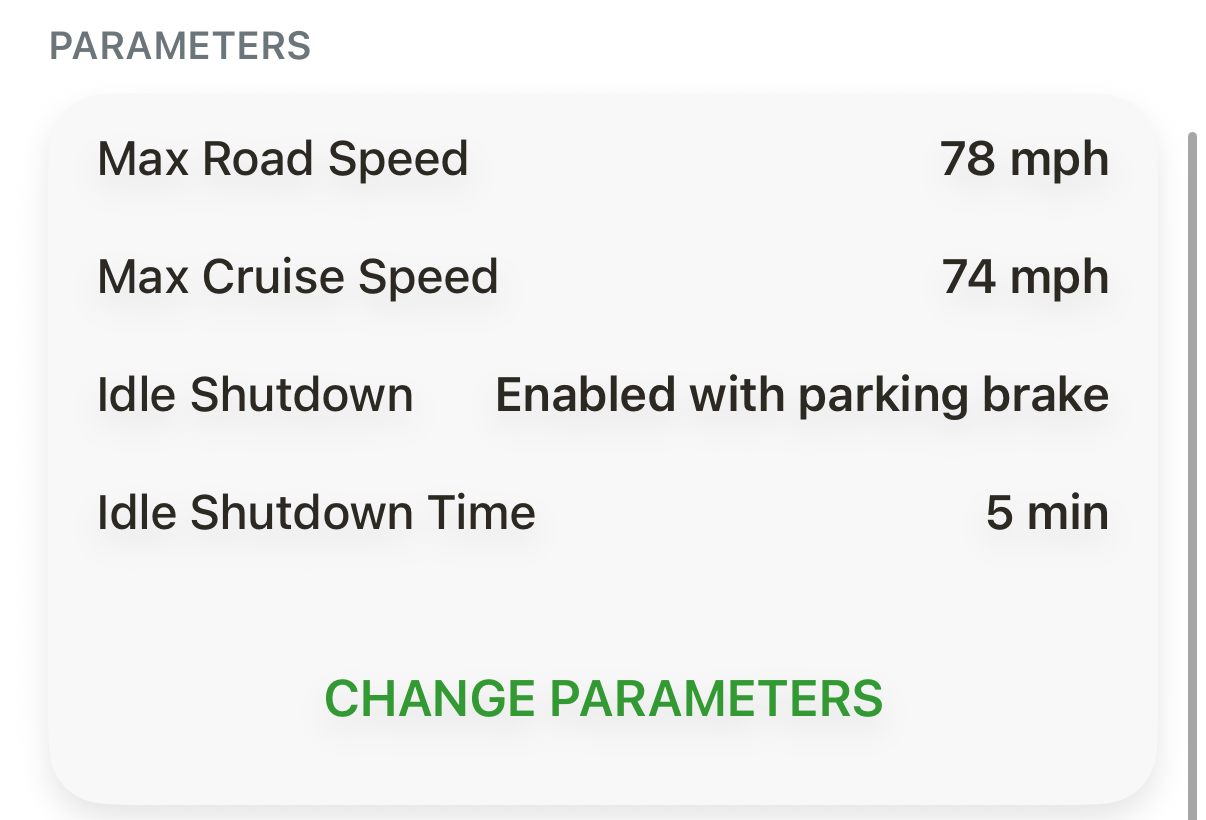
Max Road Speed: the top speed the truck will go, whatever the throttle does.
Max Cruise Speed: the highest speed cruise control can be set to.
Min Cruise Speed: the lowest speed cruise control can be set to.
Cruise Power (older CPC2 and CPC02T controllers): whether cruise uses the high power rating, the low one, or either.
Idle Shutdown: turns automatic idle shutdown on or off. On the newest controllers you also choose whether it needs the parking brake set.
Idle Shutdown Time: how long the engine idles before it shuts itself down.
Parameter Password: a 4-character password that stops anyone else from changing these settings.
The app checks the related settings for you: Max Cruise Speed can't go above Max Road Speed, and Min Cruise Speed can't go above Max Cruise Speed.
Why change it?
Save fuel. The U.S. EPA's SmartWay program says a combination truck at 55 mph uses up to 7 percent less fuel than one at 65 mph, and lower top speeds mean less wear on the engine, tires and brakes (EPA SmartWay: Reducing Highway Speed).
Match your speed policy. Set a top speed that fits your company policy and the roads you run, and keep cruise just under it.
Cut idling. EPA estimates a typical combination truck burns about 0.8 gallons of diesel for every hour it idles, and unnecessary idling adds engine wear (EPA SmartWay: Idle Reduction). Many states and cities also limit idling (U.S. Department of Energy: idle reduction laws). Idle Shutdown handles it for you.
Do it yourself, in minutes. No dealer appointment, no laptop and no extra software. Make the change at the truck.
Lock it in. A Parameter Password keeps the new settings from being changed back.
Before you start
Update OTR Diagnostics to version 4.3.0 or newer from the App Store.
Have an active OTR Diagnostics Single Truck or Pro plan.
Plug your OTR adapter (we recommend the OTR Link 2) straight into the diagnostic port, not into an ELD or a Y-splitter, and connect to the truck in the app.
Turn the key on and leave the engine off. Keep it that way until the change is finished.
How to change your road speed
On the Dashboard, tap CHANGE PARAMETERS. (Or open the Commands tab and tap Change parameters.)
Under Road Speed, tap Max Road Speed.
Check the key and engine: Turn key - ON, Engine - OFF. Tap Continue.
If the setting is locked, enter the engine's 4-character parameter password and tap Continue.
Pick the new speed with the slider, the − and + buttons, a preset, or Type a value. Then tap Set to your new speed, for example Set to 65 mph.
The app shows Programming ECM. Keep the key on and the engine off.
You'll see Update saved, for example "Max Road Speed is now 65 mph." If the app asks you to turn the key off and on, do that to apply the change.
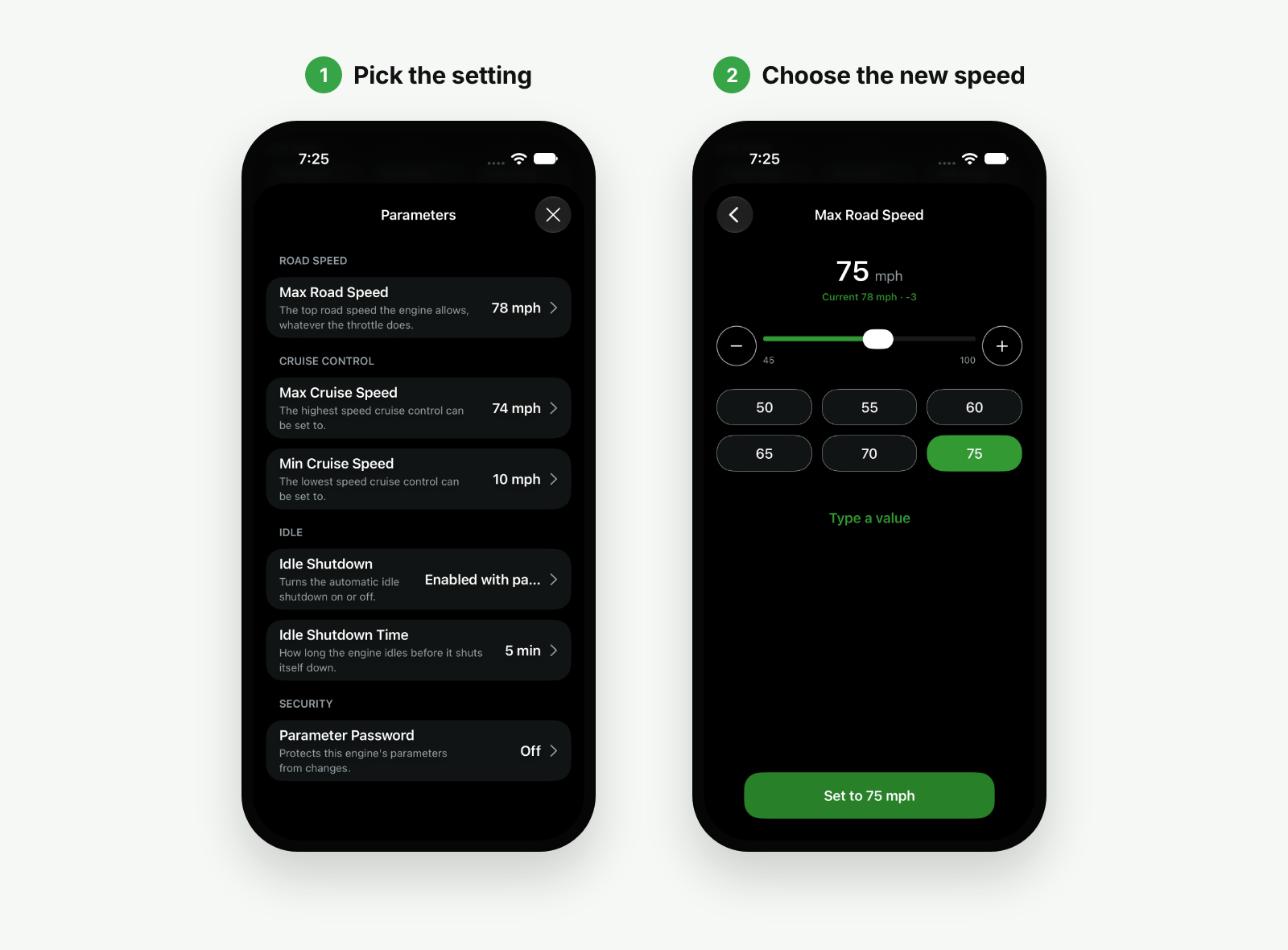
Cruise speed, idle shutdown and the other settings work the same way.
Lock your settings. On the Parameters screen, under Security, tap Parameter Password to set, change or remove a 4-character password. Once it's set, nobody can change the engine's parameters without it.
FAQ
My Freightliner or Western Star has a Cummins engine. Is it covered?
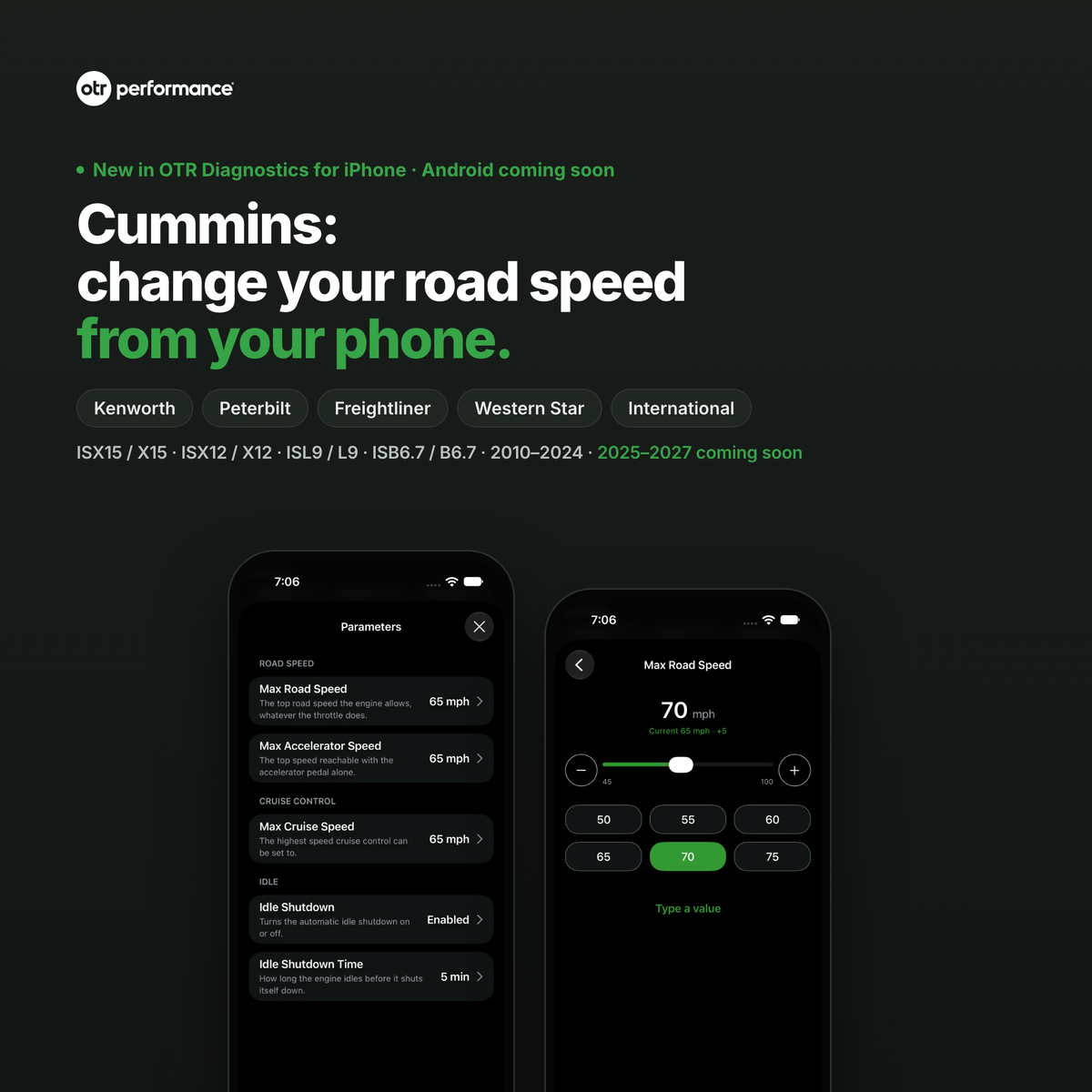
Yes, by engine. See Cummins: change your road speed from your phone.
I don't see the Parameters card. Why?
The card only appears when you're connected and the engine has settings the app can change. Check that your Single Truck or Pro plan is active, the app is up to date, and the Engine Profile under More > About isn't "Generic".
What does "Change not confirmed" mean?
The engine didn't confirm the new value. Tap Turn the key off, then start over, then open Parameters to check the value before you try again.
Get started
Get OTR Diagnostics on the App Store
On Android? The same Parameters screen is coming soon, and we'll post here when it's out.
New to OTR Diagnostics? See plans and the OTR Link 2 adapter →
Step-by-step help: How to change road speed and idle shutdown on a Detroit Diesel engine and How to change road speed and cruise speed in OTR Diagnostics. Questions? Email support@otrperformance.com or call (586) 799-4375, Monday to Friday, 8 am to 5 pm Eastern.
See your truck like never before: Introducing Vehicle Health Report
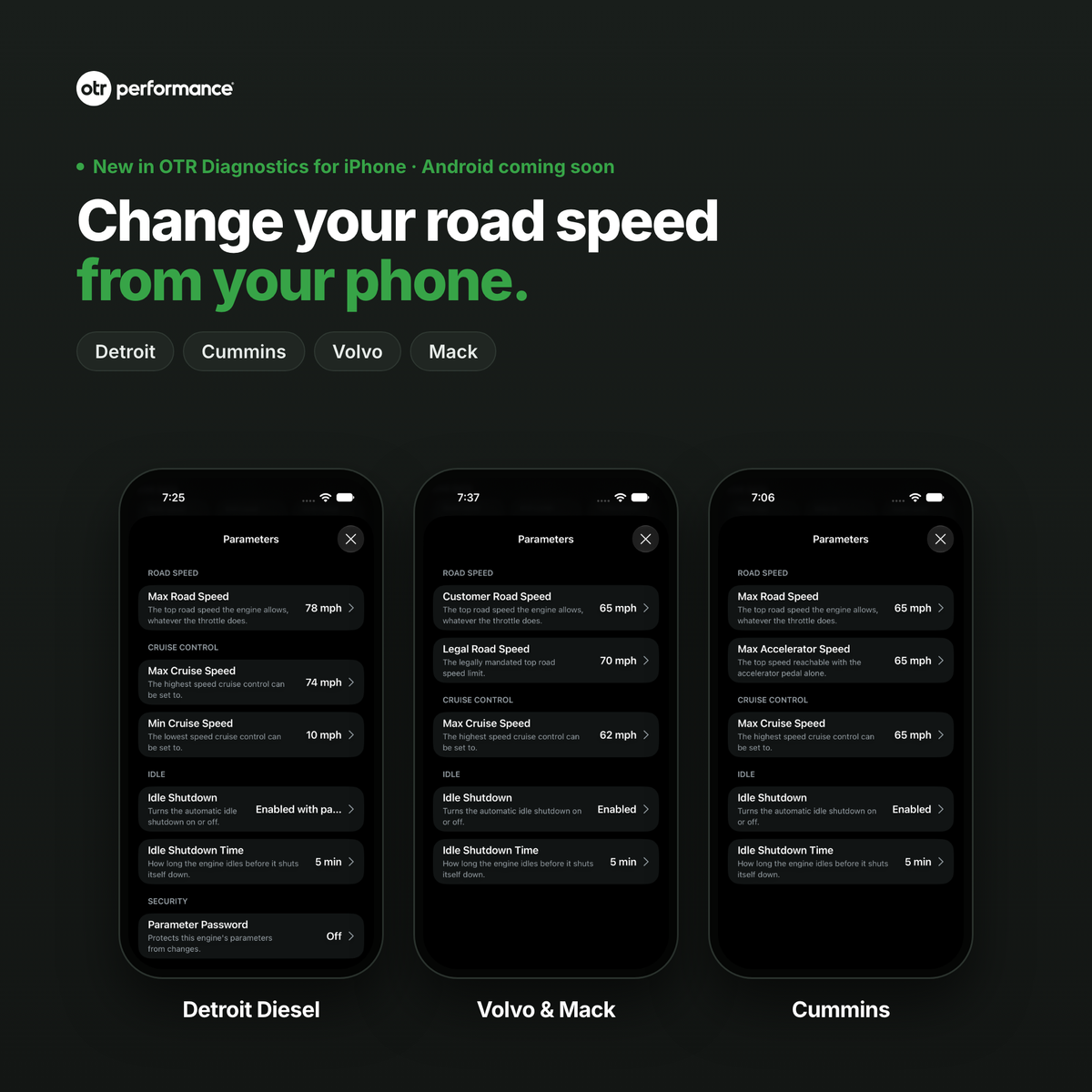
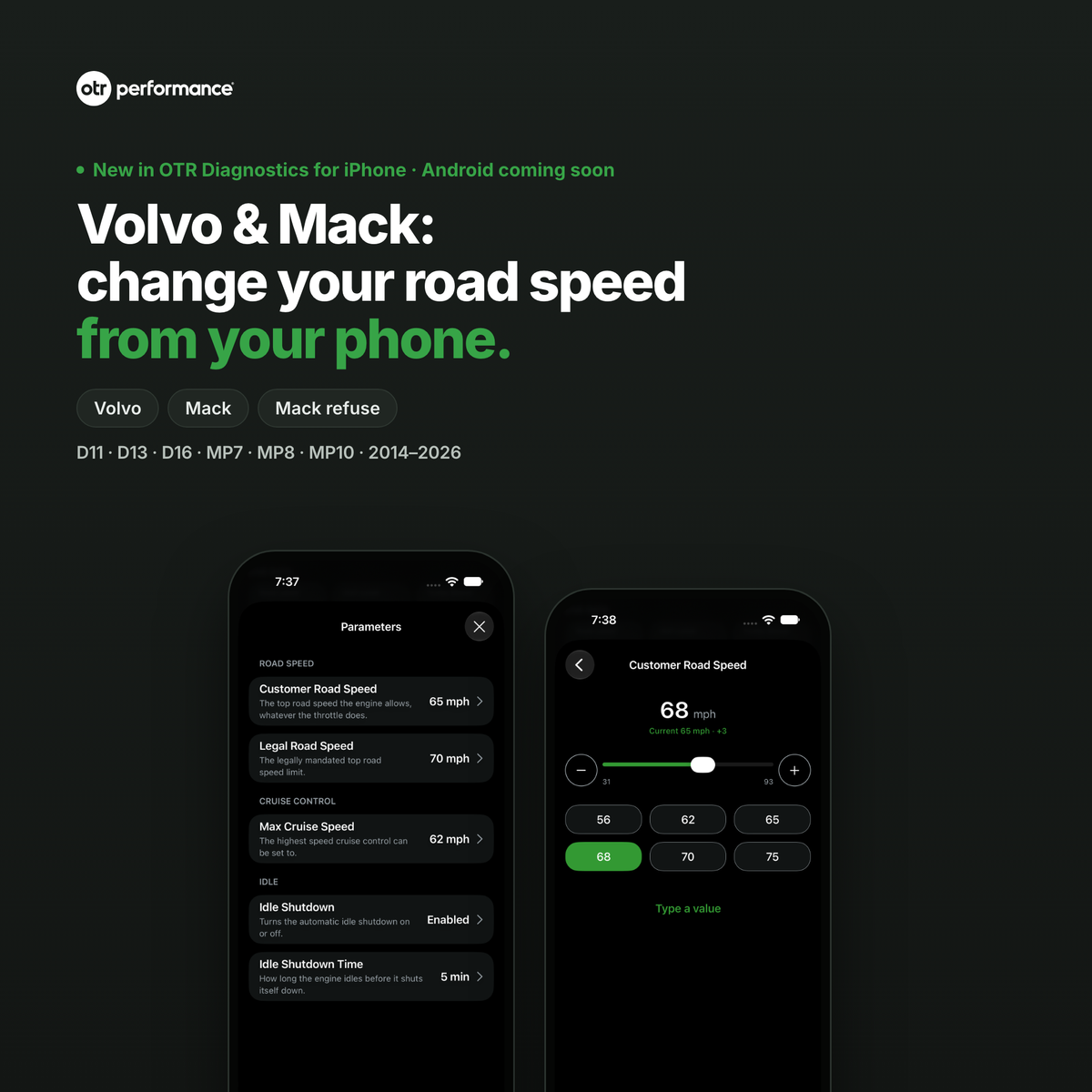
Volvo and Mack: change your road speed from your phone