

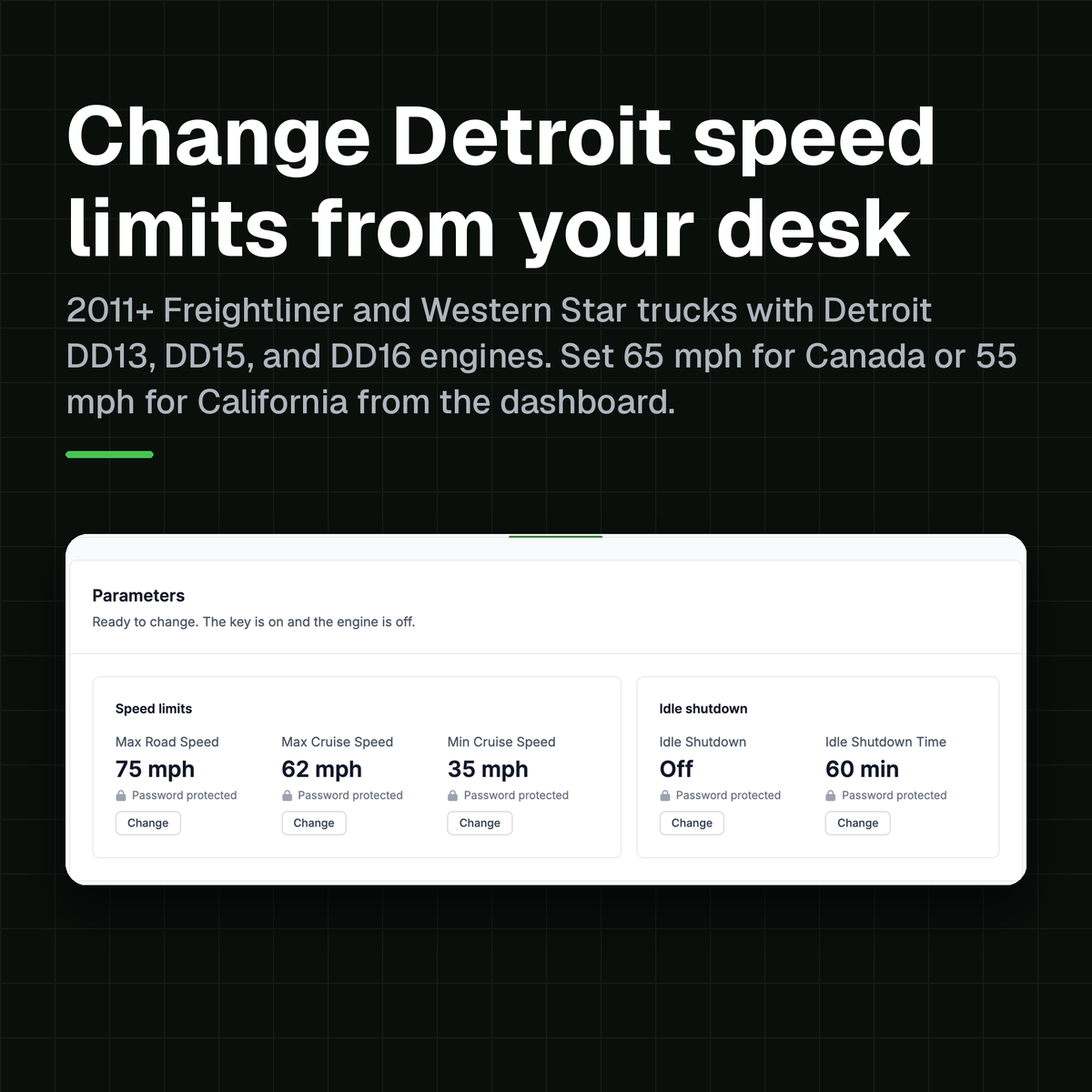
If you run 2011+ Freightliner or Western Star trucks with a Detroit Diesel DD13, DD15, or DD16, this one is for you. You can now change the road speed, cruise speed, and idle shutdown from your desk with OTR Remote Diagnostics. No OEM laptop, no dealer visit, and no tech standing at the truck. Set a truck to 65 mph for Canada or 55 mph for California and back again, and the engine reads each value back to you before you see Done.

Why this matters
Here is how a speed limit change has worked for as long as I have been in this industry. The fleet decides to drop road speed by a few miles an hour. Or a truck comes back from a lease with the cruise set wrong. Or you get a new driver and the truck was set up for the last one. Every one of those is a parameter change on the engine computer. Until now that meant getting a tech with the OEM laptop out to the truck, or booking the dealer and waiting for them to get to it.
Multiply that by your fleet and one policy change turns into weeks of chasing trucks around the yard, so most fleets give up and run whatever the truck came with.
Now the truck comes to you. You open it in OTR Remote Diagnostics, change the setting, and the engine confirms it back to you, wherever the truck happens to be parked.
Running Detroit-powered Freightliner or Western Star trucks? Get a fleet quote
What year trucks and engines does this work on?
2011+ Freightliner and Western Star trucks, all powered by Detroit Diesel DD engines. That is the Freightliner Cascadia, the Western Star 47X, 49X, and 57X, and the 4700, 4900, and 5700 before them.
- Engine: Detroit Diesel DD13, DD15, or DD16
- Emission years: EPA10 (2011 to 2013) | GHG14 (2014 to 2016) | GHG17 (2017 to 2020) | GHG21 (2021 to 2023) | GHG24 (2024+)
- Settings: all five, on every one of them
Every one of these trucks has the round 9-pin J1939 diagnostic port under the dash. That is where the OTR Remote Diagnostics module plugs in. If your ELD is already in that port, the module connects inline behind it on the splitter that ships in the box, and both keep working.
What can you change?
You get five settings on the CPC, the common powertrain controller, and each one is read from the truck and shown with its current value.
- Max Road Speed. The fastest the truck will go with the pedal to the floor.
- Max Cruise Speed. The highest speed cruise control will hold.
- Min Cruise Speed. The lowest speed cruise control will hold.
- Idle Shutdown. Whether the engine shuts itself down after idling.
- Idle Shutdown Time. How long it idles before it shuts down.
The same five values sit on the truck's Overview too, so you can see how every truck is set up without opening the tab.

Speed limits are different depending on where your truck runs
If you cross a border or a state line, your trucks are running under more than one rule, and the setting has to follow the route.
- Ontario and Quebec. A truck over 11,794 kg has to have its speed limiter set to 105 km/h or lower. That is about 65 mph. Officers check it at roadside by reading the engine setting. In force since 2009.
- British Columbia. Same 105 km/h limiter rule, in force since April 2024. No exemption for US carriers crossing in.
- California. Trucks with three or more axles, and any truck pulling a trailer, are held to 55 mph on the highway. That is a posted limit, not a limiter rule, so most fleets set cruise to hold it.
- The rest of the United States. No federal limiter rule. The proposed one was withdrawn in July 2025. The number is your call, and your insurance company may have an opinion.
The old answer was to pick one number for the whole fleet and live with it. A truck that runs Michigan to Toronto one week and Los Angeles the next got a limiter set for the strictest lane. Either that or a tech with a laptop at each end. Now you set Max Road Speed to 65 mph before the truck heads for the border. Drop Max Cruise Speed to 55 mph for a California lane. Put it back when the truck comes home. Each change takes a minute from your desk, and each one asks you to confirm the value is legal where the truck operates.
Your fuel mileage follows your speed limit
The oldest rule in trucking fuel economy still holds. Above 55 mph, every extra mile an hour costs you about a tenth of a mile per gallon. A truck that runs 70 instead of 65 gives up about half a mile per gallon. Take a long haul truck doing 100,000 miles a year. At 65 mph it runs about 7.0 mpg, which is where the best run fleets sit today. At 70 mph it runs about 6.5. That half a gallon is about 1,100 gallons a year. At $6.18 diesel, the national average the week of October 12, 2026, that is about $6,800 a year, per truck. Multiply that by your fleet.
Put it against the whole cost of running the truck. The industry average in 2025 was $2.34 a mile, and 48 cents of that was fuel. Speed is the one fuel lever you control from a desk, and now you can.
Fleets have known this for decades. What stopped them was the shop visit. Now the speed policy is a setting you own. Set road speed and cruise across the whole fleet in an afternoon and check it any time you want.
Here is the part I like most. Open any truck and its five settings sit on the Overview, read from the engine, with the date they were last read. Say a driver talked a shop into raising a limit, or a truck came back from a dealer with a different number. You see it the next time the truck reports, and you set it back from your desk. Road speed and cruise speed stay the numbers you decided on, on every truck, without anyone walking the yard with a laptop.
How do you change the speed limit?
The truck has to be online with the key on and the engine off. A password-protected setting needs the truck's four-character password, the same one the OEM laptop asks for. After that it is four steps.
- Click Change under the setting. The dialog checks the current value with the truck.
- Type the new value, or pick one of the common ones. The dialog shows the range the engine accepts.
- Enter the password if the setting is locked, then click Review change.
- Review and send. The review shows the change in one line, old value to new, and the three checks the truck has to pass. Confirm you are authorized to change this truck, then click Change speed.


The dialog then walks through three states: Sent to the truck, Truck is applying it, and Done with the new value. The value you see at the end is read back from the engine, not echoed from the form. The truck uses it as soon as the change finishes and the Parameters tab updates.


What about the password?
If the password is wrong, the change fails and you can try again, and nothing happens on the vehicle side. Every change asks you to confirm that you are authorized to change this truck and that the new value is legal and safe where it operates. OTR records who made each change and when. A change you want to undo is the same four steps back to the old value.
The password lives on the truck's CPC. It can only be changed with an OEM laptop or through OTR Remote Diagnostics. If you need one changed or removed, call our OTR Remote support team at 586-799-4375 or email support@otrperformance.com and we will take care of it with you.

What do you need to do this?
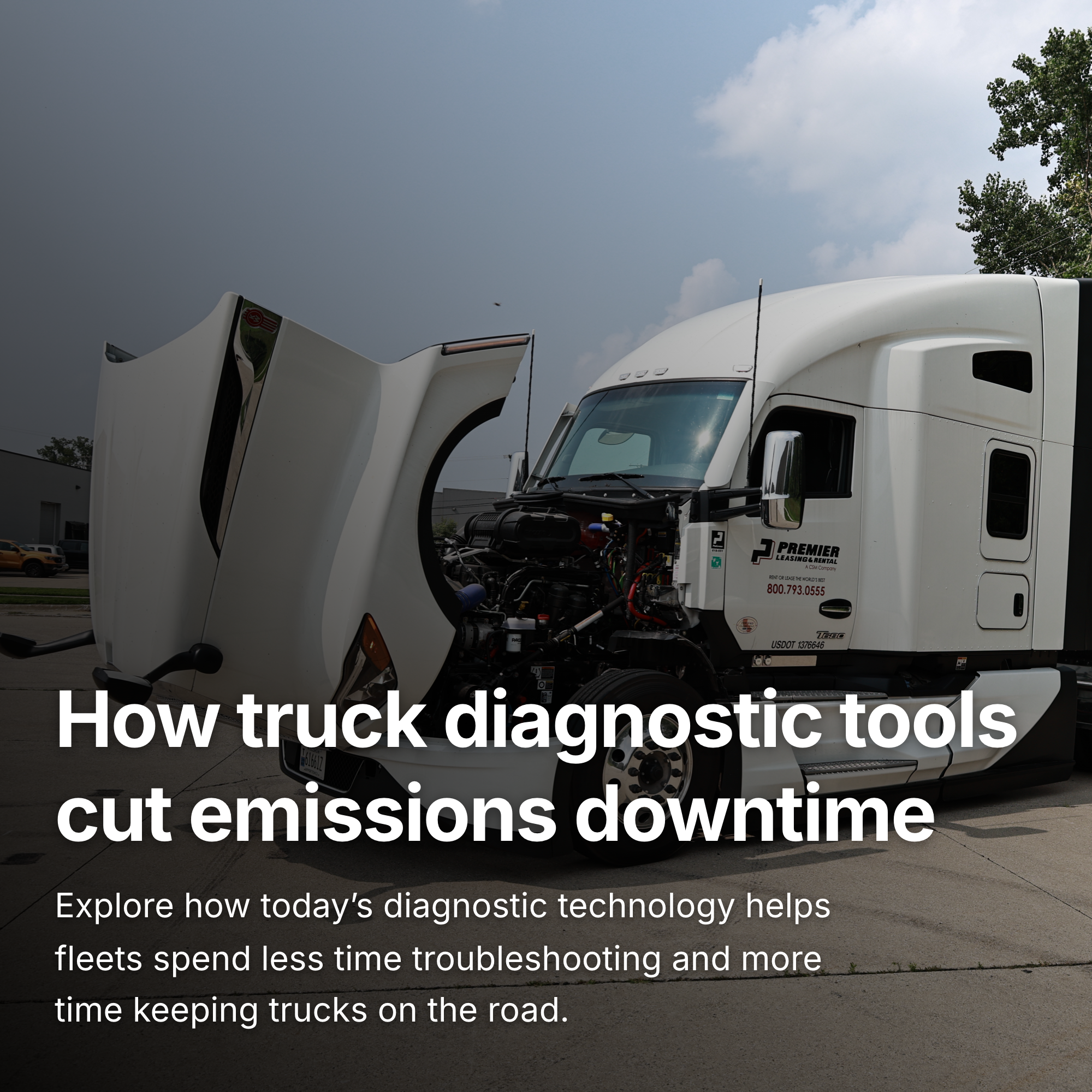
One OTR Remote Diagnostics module per truck. It is an LTE connected, multi channel CAN device that plugs into the 9-pin port and stays there. It reads every controller on the bus the same way a scan tool does. It carries a multi carrier SIM, so it reports from anywhere the truck has signal and stores the data when it does not. Think of it as the remote technician inside your truck, on shift 24 hours a day.
- Plug it in and it sets itself up. The module arrives activated. Plug it into the 9-pin port under the dash and the truck is on your dashboard in about ten minutes with its engine profile set.
- It reads everything. Fault codes from every module, more than 100 live readings, dash lamps, location.
- It acts on it. Forced regens, resets, fault clears, and now speed and idle parameters, each one confirmed by the engine.
- It keeps the record. Every command and every change, with who sent it and when, on the truck's Activity tab.
The savings come from three places. The shop visits you stop paying for, about $150 to $200 a truck every time a speed policy changes. The fuel a tighter, enforced speed limit saves. At today's diesel price that is on the order of $6,800 a truck a year for a fleet that brings 70 mph trucks down to 65. And the tows and dealer visits a fault caught early avoids, which is where most fleets see the module pay for itself first.
What else do you get on a Detroit?
Parameters sit on the same truck page as everything else OTR Remote Diagnostics reads from a Detroit. One module in the port, one page per truck.
- Fault codes as Detroit writes them, with SPN, FMI, and the module that reported each one. Open a code and OTR Assist gives you the cause, the symptom the driver sees, and the repair steps.
- Live data. More than 100 standard readings streaming from the truck. On a DD15 or DD16, 24 more Detroit-specific values from the MCM and ACM on top: turbo speed, rail pressure, EGR position, soot load, DPF zone, regen state, DEF pump current, and NOx conversion efficiency.
- Commands. Clear faults, reset ash, reset SCR, forced DPF regen, SCR test, and a stop for each. The exact list follows the engine generation and shows on the truck's Commands tab.
- Activity. Each truck's history over time: what cleared, what came back, and what was sent to it.
Already have an ELD in the truck? Keep it. The ELD does hours of service. OTR does diagnostics. The module connects inline behind the ELD on the splitter in the box.

Why fleets put it in every truck
A truck with a module in its port is a truck you can see and act on. A truck without one is a phone call you have not gotten yet.
- You see the fault before the driver calls. Every active code on every truck, on one dashboard, sorted by how bad it is.
- You act from your desk. Force a DPF regen, reset a derate, clear a code, change a speed limit. No tech dispatch. No tow. No wait.
- You know what happened. Each truck's Activity tab keeps the history: what cleared, what came back, which commands were sent and by whom.
- It takes ten minutes a truck. Plug it in and the truck appears on the dashboard. It reads the port like a scan tool and changes nothing unless you tell it to.
- It works with what you have. Keep the ELD. Keep your telematics. The module does diagnostics.
- The data is yours. Stored on the device when coverage drops and synced when it returns. Encrypted in transit. We do not sell or share it. The hardware is bought outright.
The numbers on our own site tell the rest: 22 million fault codes logged, 1 million commands sent, 100,000 forced regens completed, 10,500 OTR members. Fleets that put a module in every truck stop finding out about problems from the side of the road.
Rolling out now to existing customers
Parameters come to your trucks through an over the air update to the module already in the port. Nothing to install and nothing to plug in. The Parameters tab shows up on a truck's detail page as soon as its module supports it. Detroit-powered Freightliner and Western Star trucks come first, and more engines follow as we validate each one on our own test fleet. If you already run OTR Remote Diagnostics on Detroit trucks, open any one of them and look for the tab. If you do not see it yet, it is on its way.
If you are new to OTR Remote Diagnostics, the module arrives activated. Plug it into the 9-pin port and the truck shows on your dashboard within minutes.
Questions that come up
Does the truck have to be running?
No. The CPC accepts parameter writes with the key on and the engine off, so the driver turns the key and waits.
Where does the password come from?
It is the engine's own four-character parameter password. If your trucks came with one set, your dealer or the previous owner has it. If the password is wrong, the change fails and you can try again. Nothing happens on the vehicle side.
Can I change or remove the password on a truck?
The password lives on the truck's CPC and can be changed only with an OEM laptop or through OTR Remote Diagnostics. Call our OTR Remote support team at 586-799-4375 or email support@otrperformance.com and we will take care of it with you.
Can a driver change these from the cab?
No, changes come from a signed-in user on the OTR Remote Diagnostics dashboard, and each one is recorded with the user and the time.
What about Cummins, PACCAR, Volvo, and Mack?
Parameters are on Detroit first. The other engines keep their fault codes, live data, and commands, and parameters follow as we validate each engine on our test fleet.
Will the change survive a dealer visit?
Yes. On a Detroit the value is written to the CPC, the same place the OEM laptop writes it. A dealer can read it and change it like any other parameter, and so can you from the dashboard.
Is there a charge per change?
No, parameters are part of the OTR Remote Diagnostics subscription on the truck, so you change them as often as you need to.
Take control of speed across your fleet. Tell us how many Detroit trucks you run and we will put together a quote and walk the first installs with you.
Or call a fleet specialist at 586-799-4375, Monday to Friday, 8 am to 5 pm Eastern.
Step by step with screenshots: the Parameters walkthrough. New to the dashboard: Getting started with OTR Remote Diagnostics.
I hope this helps with some of the questions that have been coming up. Until next time!
Stay safe, stay healthy & be blessed.
Jason Chise
Founder, OTR Performance
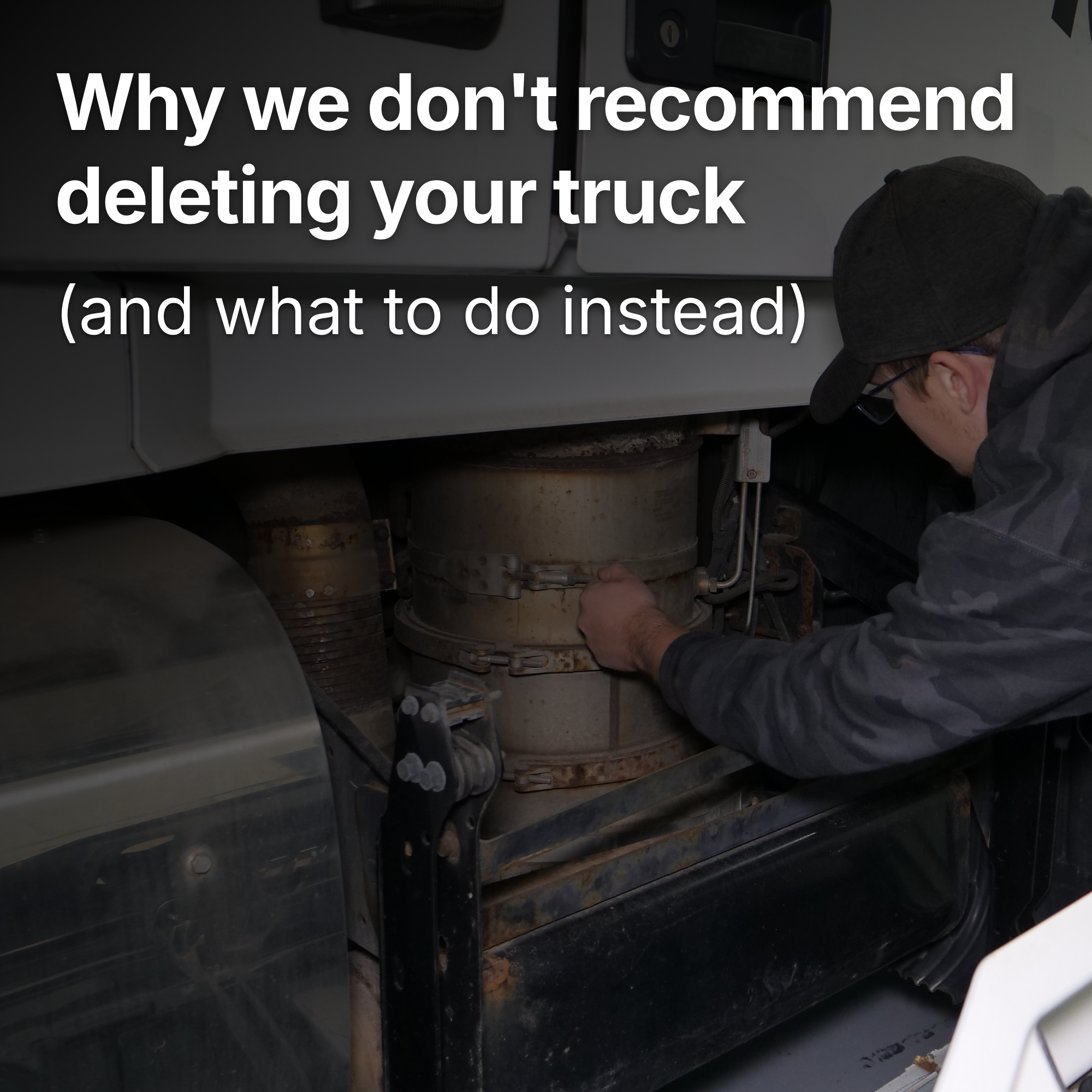
Why you shouldn't delete your diesel truck (and what to do instead)