
A warning lamp comes on, the truck goes into a derate, and the nearest dealer can't look at it until next week. OTR Diagnostics is built for that moment. Plug the OTR Link 2 adapter into the diagnostic port, open the app on your phone, and you can see what the engine is reporting and do something about it, right there at the truck.
What you can do from your phone
Read fault codes in plain language. See active and inactive codes, how often each one has come back, and what it means. OTR Assist, the AI help built into the app, turns SPN, FMI and manufacturer codes into everyday language and walks you through troubleshooting.
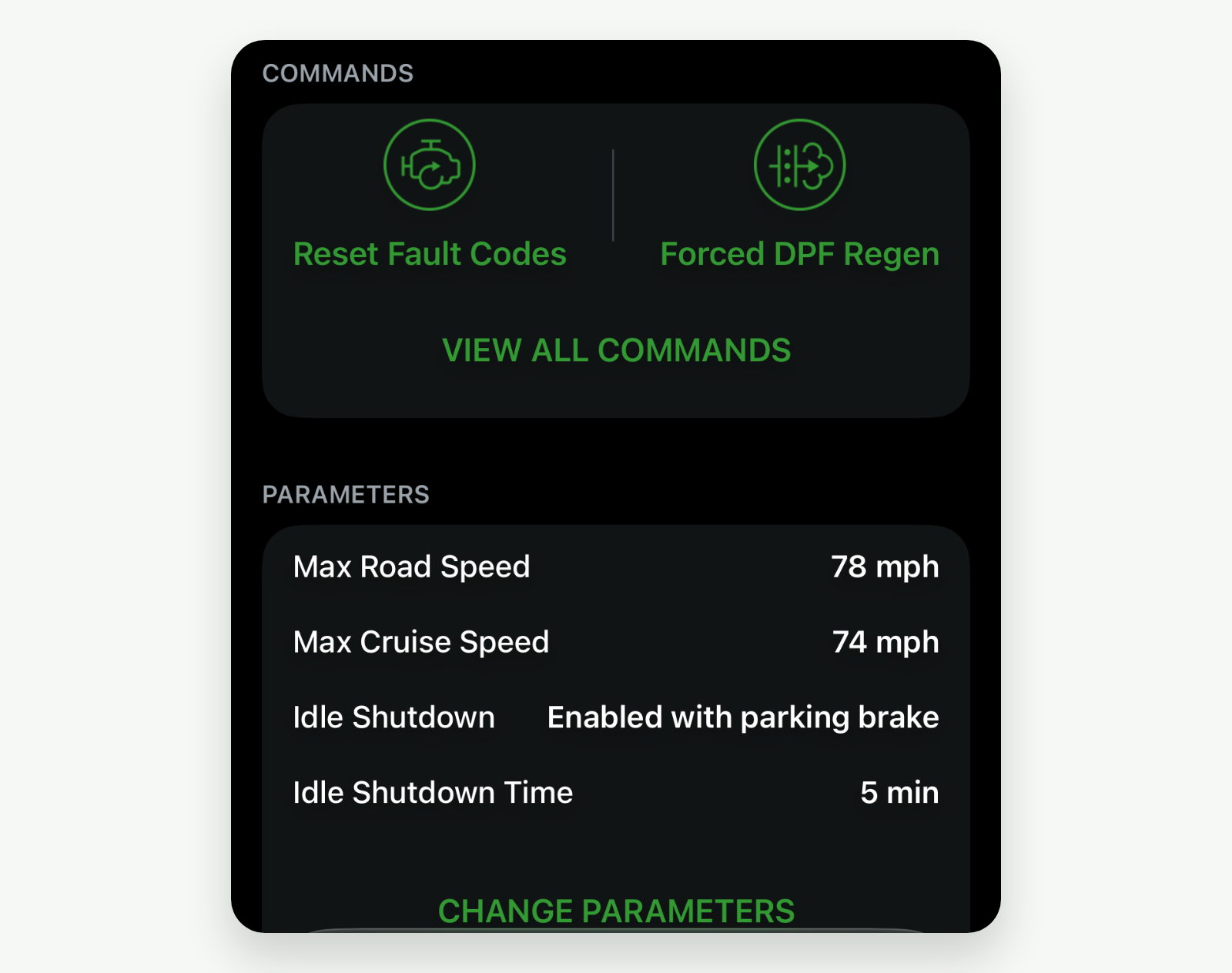
Run regens and resets. Start a forced DPF regen, reset fault codes and derates, and reset aftertreatment after a repair. The commands you get depend on your engine.
Watch live data. Follow readings like soot load, DEF quality and exhaust temperatures while the truck runs, in a grid or a list.
Change engine settings. New in November 2026: set max road speed, cruise speed and idle shutdown on supported Detroit Diesel, Volvo, Mack and Cummins engines with app 4.3.0 or newer. On iPhone now; Android is coming soon.
Share a Vehicle Health Report. One report with your fault codes, aftertreatment data, sensor readings and regen history, ready to save or send to your shop.
Keep a history. Fault codes and commands are saved to your account, and the app works offline for up to 14 days once offline mode is on.
Built for the engines you run
OTR Diagnostics works with Cummins, Detroit Diesel, Paccar MX, Volvo, Mack and International engines, with OEM P-codes on supported Paccar, Volvo and Mack engines. Coverage and commands vary by engine and model year, so check your truck on our Vehicle compatibility page before you buy.
Why owner-operators carry it
You see what the shop sees. Instead of guessing from a dash lamp, you get the fault code, what it means and what to check next. When you do need a shop, the Health Report gives them the same picture before the truck rolls in.
You fix the common stuff yourself. A forced regen or a derate reset after a repair is a few taps, not an appointment.
You control your own settings. Set the top speed and idle shutdown that suit how you run, without a laptop or dealer software. Our Parameters release note covers the engines and steps.
You're not on your own. Every plan includes OTR Assist and Michigan-based tech support.
What's in the box. Every OTR Diagnostics plan comes with the OTR Link 2 adapter, the app for iPhone and Android, OTR Assist, the Vehicle Health Report, cloud history and tech support. Single Truck Pro covers one truck; Unlimited Truck Pro moves with you from truck to truck.
How to get started
Pick a plan on our Pricing page. The OTR Link 2 adapter ships with it.
Download OTR Diagnostics from the App Store or Google Play and sign in.
Plug the adapter straight into the diagnostic port, not into an ELD or a Y-splitter, and connect in the app.
Running more than one truck?
If you manage a fleet and want every truck watched all the time, without waiting for a driver to plug in, look at OTR Remote Diagnostics. And OTR Remote is now in the same app: see OTR Remote is now on your phone.
Get started
Questions? Email support@otrperformance.com or call (586) 799-4375, Monday to Friday, 8 am to 5 pm Eastern.


Compare Cando vs OTR Diagnostics