


Vehicle transparency in one click
Vehicle Health Report gives you a comprehensive snapshot of your truck's health at any moment in time with one click. You can capture vehicle components data, creating a detailed report you can share with mechanics, technicians, or use for your own records.
Know Your Truck Inside and Out
The Vehicle Health Report captures everything from live data parameters like battery voltage, coolant temperature, and DPF pressure, to complete fault code history from all connected modules.
What's Included in Your Report

Vehicle Data
Captures year, make, model, VIN, and all connected vehicle components including engine, transmission, ABS, and aftertreatment controllers.
Live Data Parameters Snapshot
Records critical parameters like battery voltage, coolant temperature, DPF pressures, fuel rate, engine torque, intake temperatures, and dozens more data points at the moment of report generation.
Engine Hours & Idle Time
Track total engine hours of operation and total idle hours - essential information for maintenance scheduling and evaluating used trucks.
Easy Sharing & Documentation
Generate and save reports instantly, then share them with your mechanic, shop, technician, or keep them for your maintenance records.
Perfect for Pre-Purchase Inspections
Generate a health report when buying a used truck to see all fault codes, engine hours, idle time, and live parameters - giving you complete transparency before making a purchase decision.
Every Vehicle Health Report captures dozens of critical live data such as:
- Battery Voltage
- Intake Temperature & Manifold Pressure
- DPF Intake Pressure, Outlet Pressure & Temperature
- DPF Differential Pressure Value
- EGR Valve Position & Mass Air Flow Rate
- Coolant Level & Temperature
- Exhaust Pressure
- Fuel Injector Metering Rail Pressure & Fuel Rate
- Barometric Pressure
- Charge Air Cooler Outlet Temperature
- Engine Demand Percent Torque
- Engine Fuel Economy
- Total Engine Hours of Operation
- Total Engine Idle Hours
And many more parameters specific to your engine make and model. We're constantly working to provide as many data points as possible to give you maximum insight into your truck's condition.
Perfect For
Mechanic Communication
Share comprehensive reports with your shop or technician so they have complete context before starting work on your truck. Save time and ensure accurate diagnostics.
Pre-Purchase Evaluations
Buying a used truck? Generate a health report to see fault history, engine hours, idle time, and all critical parameters before you buy. Get complete transparency to make an informed purchasing decision.
Fleet Maintenance Records
Document vehicle condition over time and maintain detailed records for each truck in your fleet. Track trends and schedule proactive maintenance.
How It Works
1. Connect to Your Truck
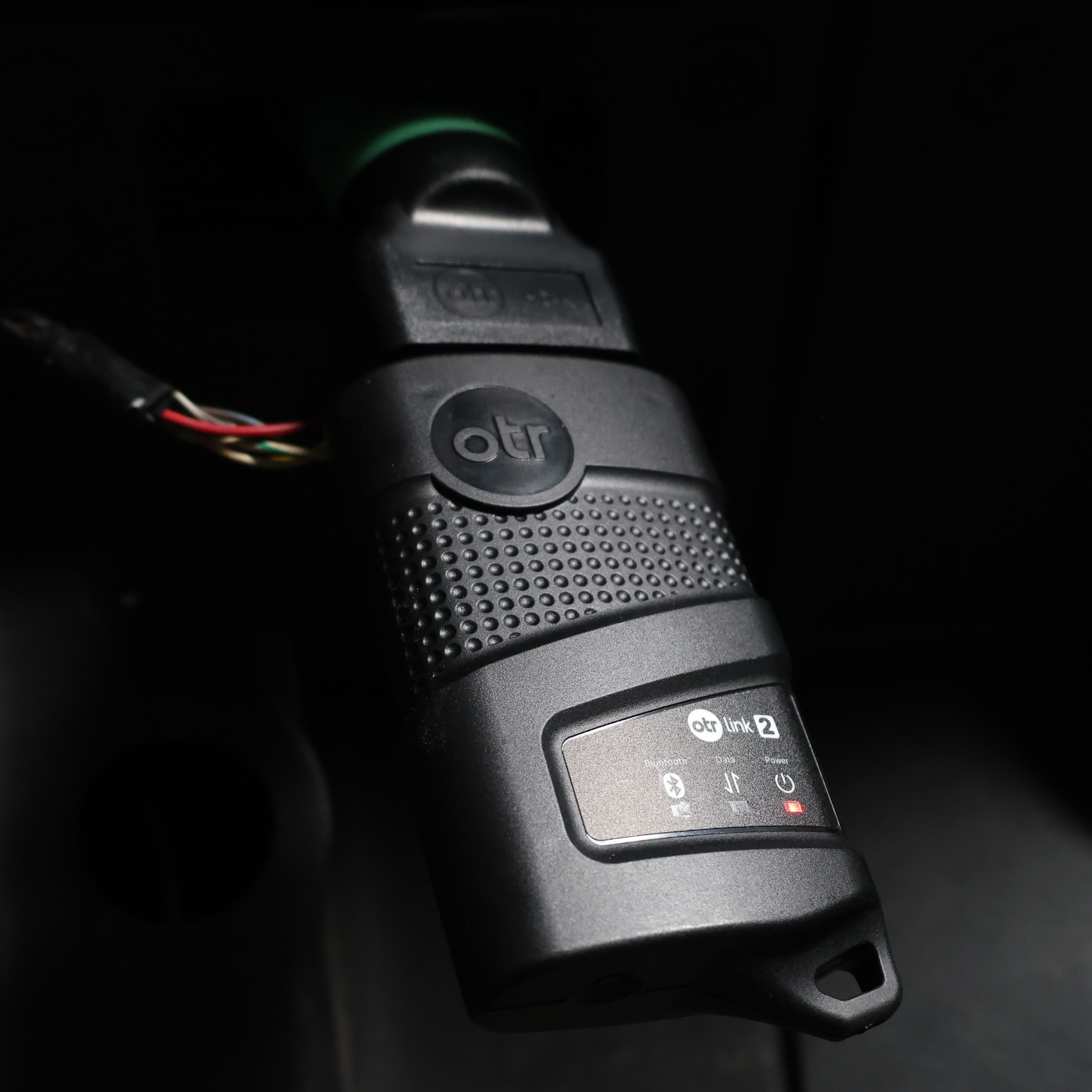
Use your OTR Link 2 adapter to connect to your vehicle via the OTR Diagnostics app. Once connected, you'll see the blue, green, and red lights on the adapter (blue for Bluetooth, green for data, red for power).
2. Click Generate Report
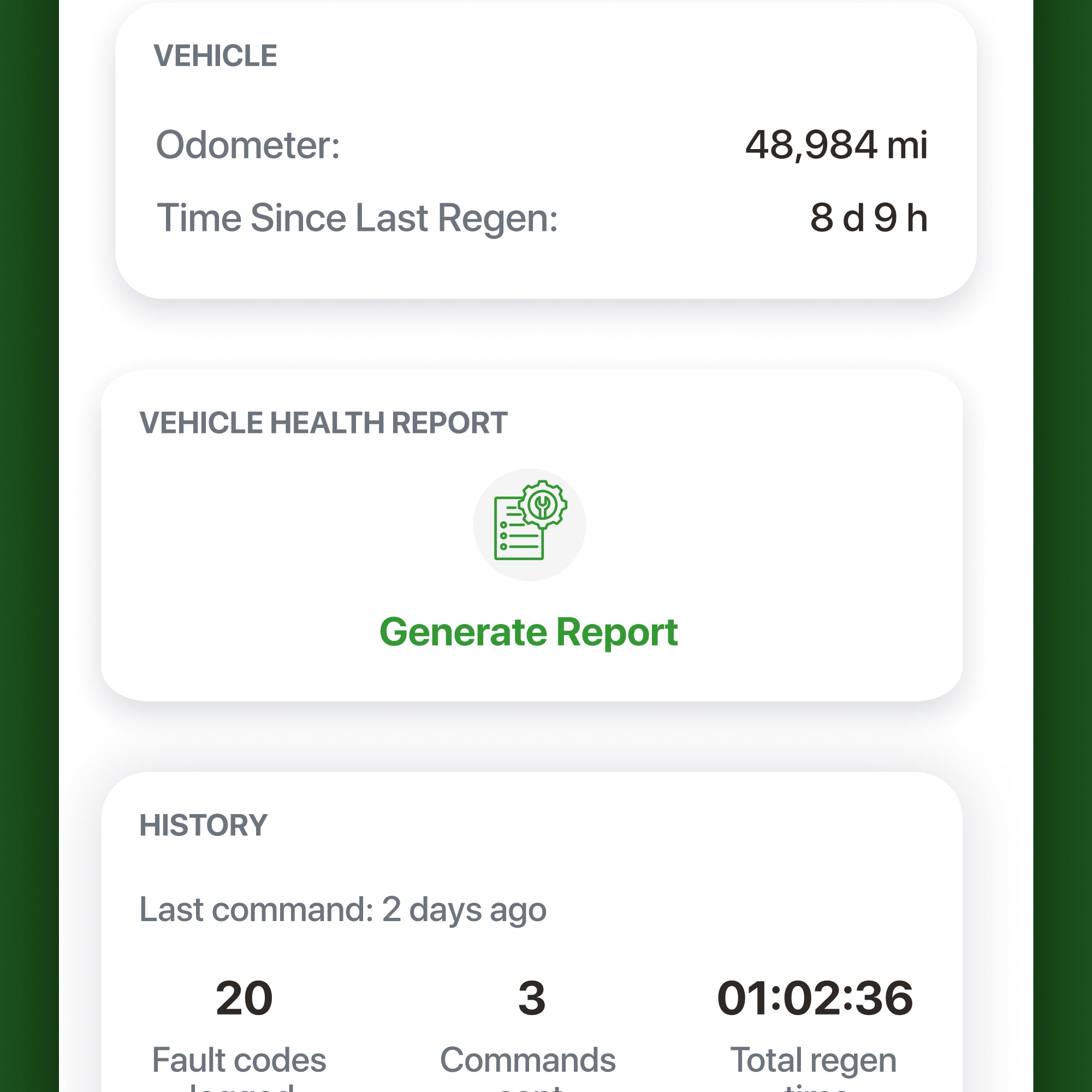
From your dashboard, locate the "Generate Report" button. This captures a snapshot of your truck at that specific moment - perfect for documenting current conditions or troubleshooting active issues.
3. View & Share
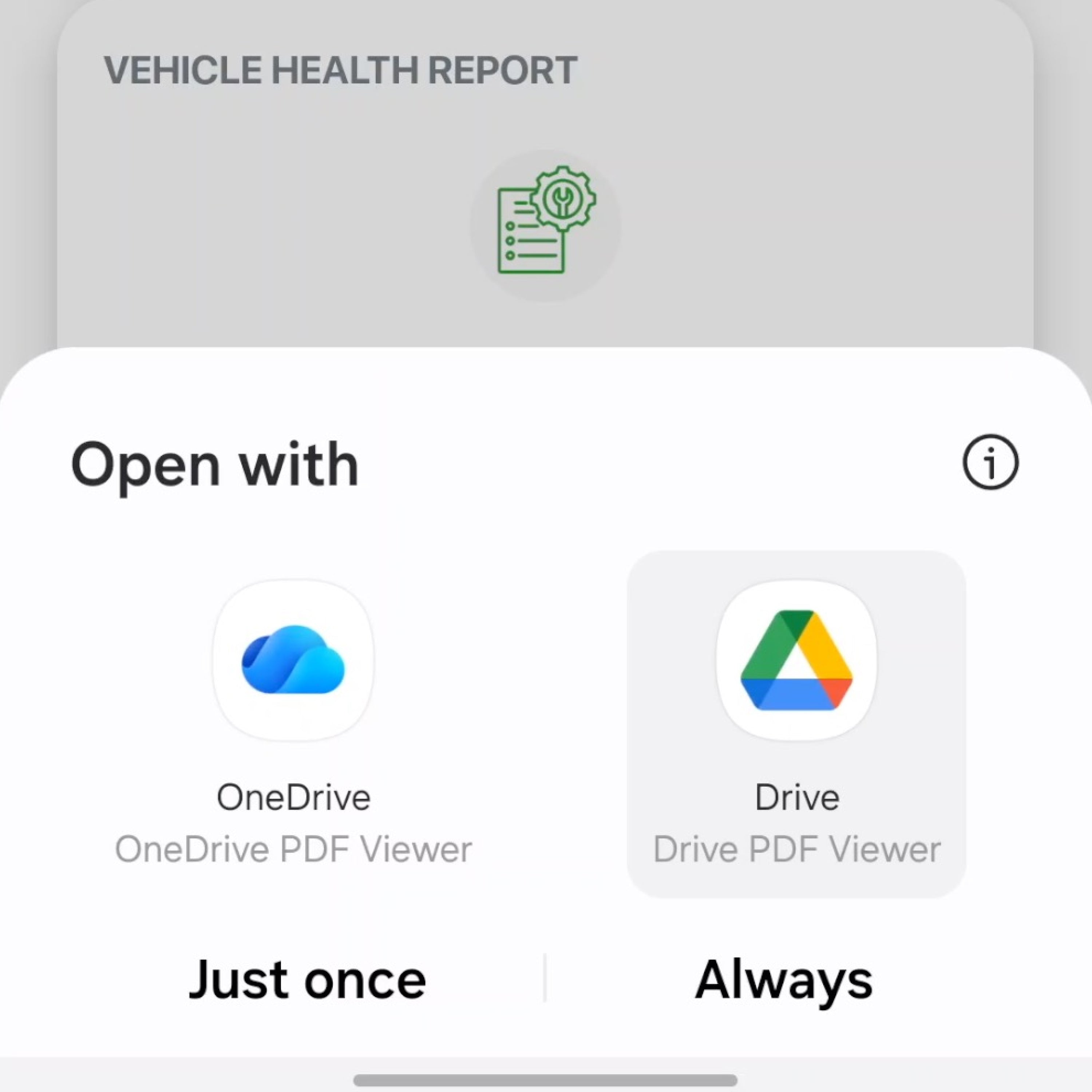
Access your complete report instantly in the app. Save it to your device or share it with anyone who needs it or for your own records.

Deep Dive with OTR Assist
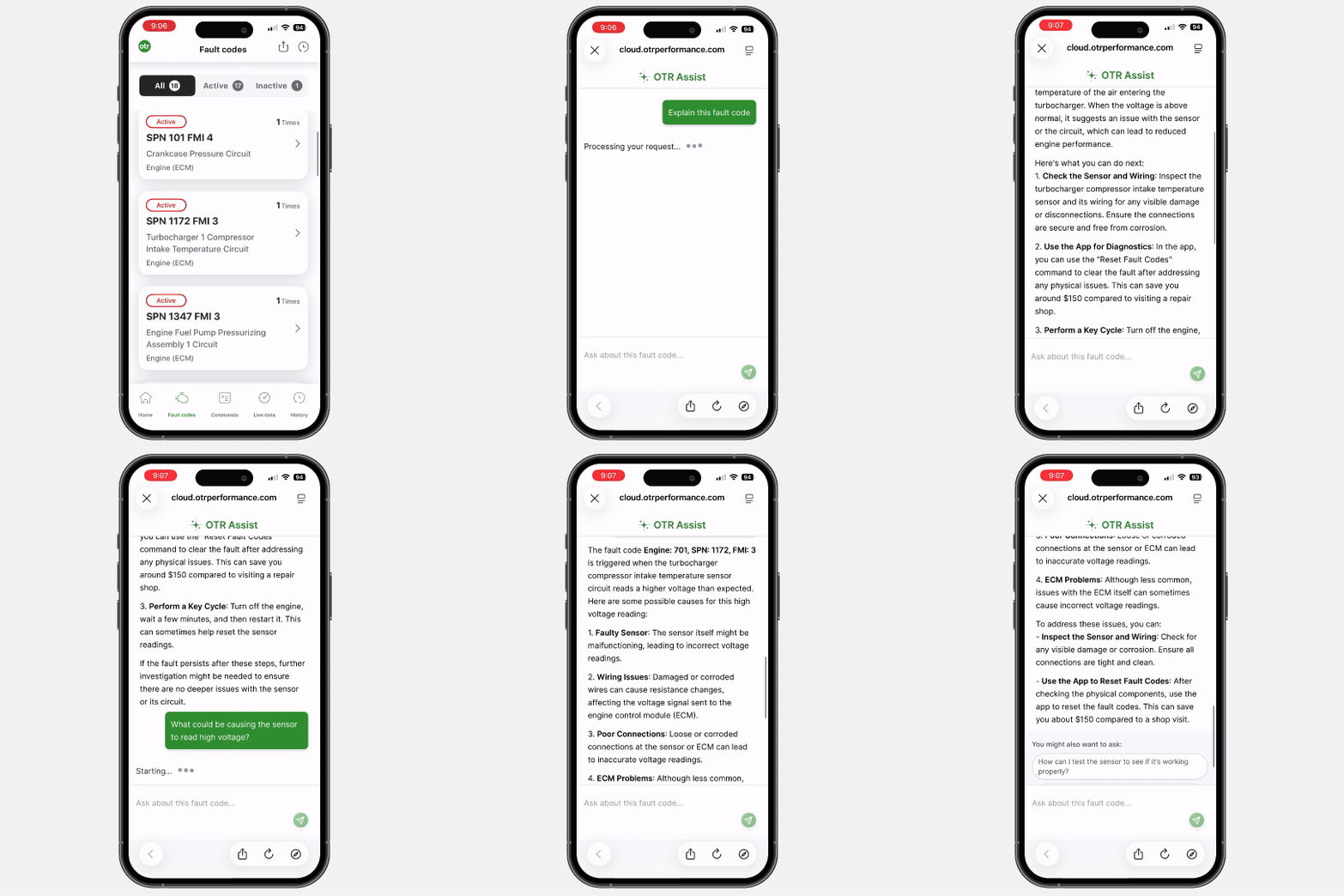
The Vehicle Health Report works seamlessly with OTR Assist, our AI-powered diagnostic assistant. When you want to understand a specific fault code in your report, simply tap it and click "Explain this fault code" to get dealer-level information.
Frequently Asked Questions
What is the Vehicle Health Report?
Vehicle Health Report is a feature inside OTR Diagnostics that generates a comprehensive snapshot of your truck at any moment in time. It captures all vehicle information (year, make, model, VIN), all connected modules, live data parameters, fault codes from all modules, engine hours, and idle time in one detailed, shareable report.
How do I generate a Vehicle Health Report?
Simply connect your OTR Link 2 adapter to your truck, open the OTR Diagnostics app, and tap the "Generate Report" button on your dashboard underneath the command section. The report is created instantly and saved to your device.
What information is included in the report?
The report includes: vehicle year/make/model/VIN, all connected modules and components (engine, transmission, ABS, aftertreatment, etc.), dozens of live data parameters (battery voltage, coolant temp, DPF pressures, fuel rate, engine torque, intake temps, and many more), total engine hours and idle hours, and complete fault code history from all modules with occurrence counts showing how many times each fault has appeared.
Can I use this when buying a used truck?
Absolutely! The Vehicle Health Report is perfect for pre-purchase inspections. It gives you complete transparency about fault codes, engine hours, idle time, and current vehicle condition - helping you make an informed buying decision before purchasing a used truck. You'll know exactly what you're getting before you commit.
Can I share the report with my mechanic?
Yes! That's one of the main benefits. You can easily share the report with your mechanic, shop, or any technician so they have complete context about your truck before starting work. This saves time and ensures they know exactly what they're dealing with, leading to faster and more accurate repairs.
Does the report work with all truck makes and models?
The Vehicle Health Report works with any truck that OTR Diagnostics supports. It searches your entire truck - not just one module - capturing data from the engine (SA0), CPC controller (SA1), aftertreatment controller (SA61), transmission, ABS, and all other connected controllers to give you a complete picture.
How is this different from just reading fault codes?
The Vehicle Health Report goes far beyond fault codes. It captures a complete snapshot including dozens of live data parameters at that moment, engine operational hours, idle hours, all vehicle components, and organizes everything in a professional, easy-to-read format that you can save and share. It gives complete context, not just isolated fault codes.
Can I use this for fleet maintenance records?
Yes! Generate reports regularly for each truck in your fleet to document vehicle condition over time. This creates a detailed maintenance history that can help with scheduling service, tracking recurring issues, identifying trends, and maintaining resale value.
Is the Vehicle Health Report included with OTR Diagnostics?
Yes, the Vehicle Health Report feature is included with OTR Diagnostics and available with the latest update from the Google Play Store or App Store. It's accessible right from your dashboard whenever you're connected to your truck with the OTRLink 2 adapter.
Can I generate reports while the truck is running?
Yes! You can generate a Vehicle Health Report whether your truck is running or parked. The report captures all live parameters at that specific moment, so generating it while running can give you real-time operational data. This is especially useful for troubleshooting issues that only occur while the engine is operating.
Get Complete Visibility Into Your Truck's Health
Whether you're buying a truck, troubleshooting issues, or maintaining your fleet, Vehicle Health Report gives you the complete picture in seconds. Start making better decisions with better data.